Brother
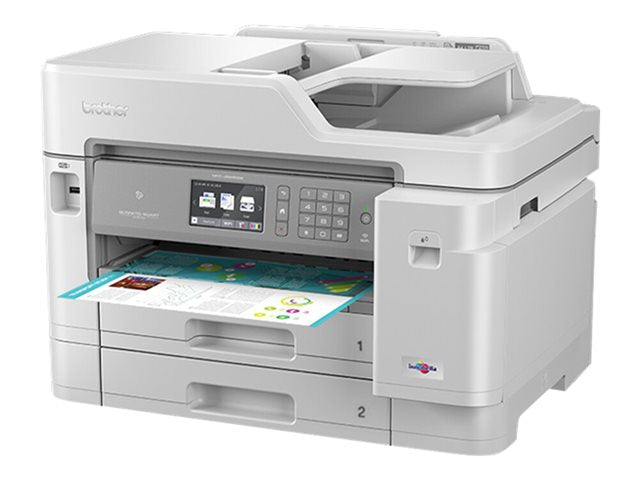
Brother MFC-J5945DW A4 Colour Multifunction Inkjet Printer New
Brother MFC-J5945DW A4 Colour Multifunction Inkjet Printer New
Couldn't load pickup availability
New Open Box
Brother MFC-J5945DW A4 MFP — 1-Year Warranty & GenieCare™ Expert Support
A3 Colour Inkjet — Print, Copy, Scan & FaxBusiness-class 4-in-1 with A4 printing, auto duplex, and 600-sheet paper capacity — at inkjet running costs.
|
 |
Who Is This Printer For?
| Small offices that need A3 without a big machineFull A4 colour printing, auto duplex, and a 50-sheet ADF for copying and scanning — without the size, weight, or running cost of a laser. Sits comfortably on a desk or small workstation. | Design studios and creative teamsPrint A4 proofs, portfolio pages, and presentation boards in-house. 4800 x 1200 dpi resolution on glossy or inkjet paper up to 220gsm gives you sharp colour output without outsourcing. |
| Home offices and hybrid workersPrint, scan, copy, and fax from one device. Wi-Fi and AirPrint mean you can print from your phone or tablet without installing anything. The 600-sheet capacity keeps refills to a minimum. | Estate agents and lettings officesPrint A3 floor plans and property particulars in colour, scan documents with the ADF, and fax contracts — all from one device. Scan to email, network folder, and SharePoint built in. |
| Businesses watching running costsInkjet running costs are lower than colour laser for this print volume. Use the optional super high yield LC3239XL inks for up to 6,000 mono pages and 5,000 colour pages per set — the cost per page drops significantly. | Not sure if inkjet is right for you?This printer is designed for 250–2,000 pages per month. If you're printing significantly more, a colour laser may be a better fit. Contact us and we'll help you decide before you order. |
Key Features & Specifications
| Functions | Print, copy, scan, fax (4-in-1 MFP) |
| Print speed | 22 pages/min mono, 20 pages/min colour (A4) — first page out in 5.5 seconds mono, 6 seconds colour |
| Max paper size | A4 (print) — A4 (scan, copy, fax via ADF) |
| Recommended monthly volume | 250–2,000 pages (duty cycle up to 30,000 pages/month) |
| Auto duplex printing | Yes — automatic 2-sided printing up to A3 |
| ADF & duplex scan | 50-sheet ADF with auto duplex scan — 14 pages/min simplex, 10 pages/min duplex — auto deskew, blank page skip |
| Print resolution | 4,800 x 1,200 dpi |
| Paper capacity | 600 sheets total: 2 x 250-sheet trays (A4) + 100-sheet multi-purpose tray (up to 220gsm, envelopes, glossy) |
| Display | 9.3cm colour touchscreen with ink level page gauge |
| Connectivity | USB 2.0, Ethernet 10/100, Wi-Fi 802.11b/g/n, Wi-Fi Direct, NFC (integrated reader) |
| Mobile & wireless printing | Apple AirPrint, Mopria (Android), Brother iPrint&Scan (iOS/Android), Wi-Fi Direct, NFC tap-to-print |
| OS compatibility | Windows, macOS, Linux — PCL6 and PostScript 3 emulation — latest drivers available from Brother |
| Scan destinations | Scan to email, email server, network folder, FTP/SFTP, SharePoint, USB, file, image, OCR |
| Security | Secure Function Lock 3.0, secure print (PIN release), NFC card authentication, SSL/TLS, 802.1x, IPsec |
| Weight & dimensions | 20.9 kg — 545 x 436 x 379 mm (W x D x H) |
What's Included
- 1 x Brother MFC-J5945DW (MFCJ5945DWZU1)
- Comes with new original inks
- Power cable
- Reboxed by Printer Genie in plain carton — brand new, unused
- 1-year Printer Genie warranty
- 90 days GenieCare™ Expert Support — included free from date of purchase
- GenieCare™ Expert Support continues when you order ink from us — no subscription needed
Warranty & Support
1-year Printer Genie warranty — covers faults arising from normal use. If a fault develops we will repair or replace the printer at our discretion. Full terms in our Terms & Conditions.
90 days GenieCare™ Expert Support included — from the moment your printer arrives, our team is available to help with setup, drivers, connectivity, network configuration, scan to email, error codes, and anything else you need to get settled in.
GenieCare™ Expert Support continues — once your 90-day period ends, order your Brother LC3237 or LC3239XL ink from Printer Genie and support carries on automatically. Paper jams, print quality, error codes, connectivity, fax configuration, and maintenance advice — for as long as you own this printer. Stays active with each ink order. No subscription. No sign-up.
GenieCare™ Expert Support covers remote diagnosis, guidance, and advice — it is separate from and in addition to the product warranty.
GenieCare™ Expert Support – Included with This Printer

Frequently Asked Questions