Printer Genie Ltd
Brother Printer Not Feeding Paper Repair – Fix “No Paper” & Paper Feed Faults
Brother Printer Not Feeding Paper Repair – Fix “No Paper” & Paper Feed Faults
Couldn't load pickup availability
Brother Printer Not Feeding Paper Repair – Fix “No Paper” & Paper Feed Faults
Printer not picking up paper? If your Brother printer shows “No Paper”, keeps jamming, or makes noise but won’t feed even when the tray is full, this is a very common and repairable issue. We repair paper pickup and feed faults daily.
Common Symptoms
- Printer makes a whirring / grinding sound but does not pick up paper
- “No Paper” message persists even when the tray is full
- Paper feeds part-way then jams
- Paper feed problems continue after cleaning or replacing rollers
- Pickup roller turns but paper never moves
What Causes This?
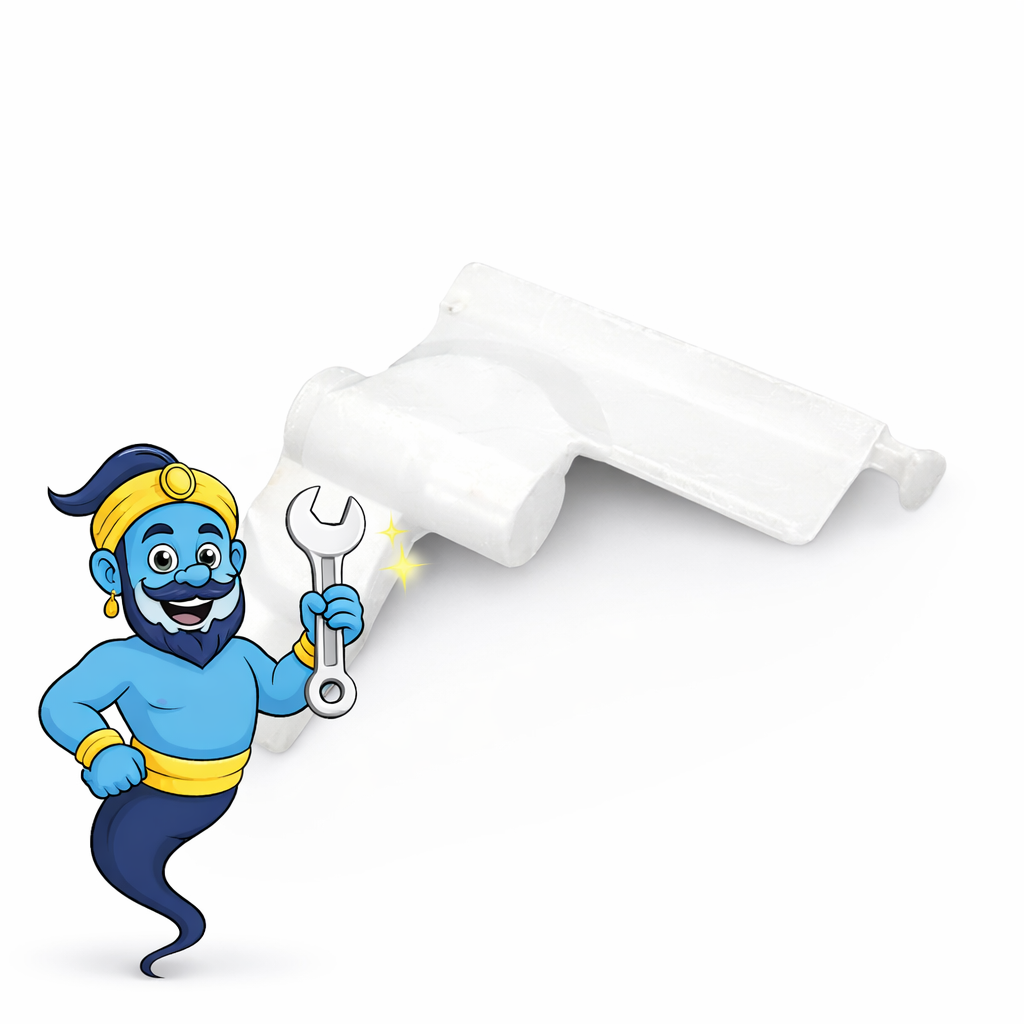
A common cause is failure of the paper pickup engagement mechanism. On many Brother models this involves the LY2579001 feeder cam lever, which helps engage the pickup system so the roller can grab paper correctly. When worn or misaligned, the printer may sound like it is feeding, but the paper never moves properly.
Choose Your Repair Option
Option 1 – Send Your Printer to Us (Repair Service)
We diagnose and repair the paper feed fault for you.
- ✔ Cam lever replacement included (if required)
- ✔ Pickup/feed system inspected
- ✔ Printer tested before return
- ✔ Return shipping included
Repair Price: £35 (return shipping included)
You arrange shipping to us (instructions provided after purchase). If you need safe packaging, our Printer Return Packaging Kit can be added.
Option 2 – Fix It Yourself (DIY)
If you prefer to repair the printer yourself, you can purchase the replacement part used in our repair: LY2579001 Feeder Cam Lever – Part Only (DIY).
This is the same part we use in our repair service. If you are unsure whether this is the correct fault, you can message us before ordering and we will help confirm.
Compatibility
This repair commonly applies to Brother HL-21xx / HL-22xx platform printers and related DCP / MFC mono laser models.
View Compatible Models
HL Series
- Brother HL-2130 / HL-2132 / HL-2135W
- Brother HL-2220 / HL-2240 / HL-2242D
- Brother HL-2250DN / HL-2270DW / HL-2275DW / HL-2280DW
DCP Series
- Brother DCP-7055 / DCP-7057
- Brother DCP-7060D / DCP-7065DN / DCP-7070DW
MFC Series
- Brother MFC-7360N / MFC-7362N / MFC-7365DN
- Brother MFC-7460DN / MFC-7470D / MFC-7860DW
Recommended Next Step
- If rollers are visibly worn or slipping, a paper feed roller repair kit may be the first fix.
- If you have already cleaned or replaced rollers but the printer still will not pick up paper, the cam lever mechanism is a common cause.
Quick Install Overview (DIY)
- Power off and unplug the printer.
- Remove the paper tray and access the side panel.
- Replace the damaged cam lever and ensure correct seating.
- Reassemble and run test prints to confirm smooth pickup.
Not sure this is your fault? Send us a message with a quick description or photo and we will help confirm before you proceed.
Warranty: 6 -month warranty against manufacturing defects (wear, misuse, or installation damage not covered).
Need Safe Packaging?
Don’t have a suitable box? Add our Printer Return Packaging Kit to your order and we’ll send protective packaging so you can ship your printer safely.
Share