1
/
of
1
Printer Genie
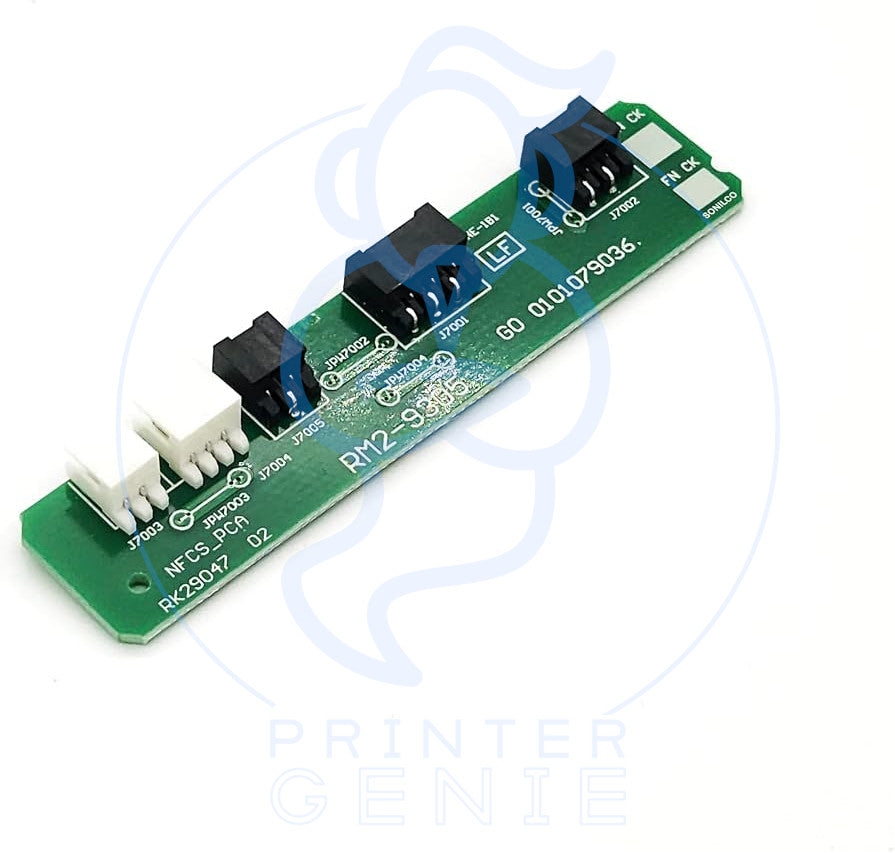
RM2-9506 Fuser reset Chip for HP LaserJet M607 M608 M609 M631 M632 M633 E62555 E62575 E62655 E62675
RM2-9506 Fuser reset Chip for HP LaserJet M607 M608 M609 M631 M632 M633 E62555 E62575 E62655 E62675
Regular price
£10.00 GBP
Regular price
Sale price
£10.00 GBP
Unit price
/
per
Shipping calculated at checkout.
Condition: New
Couldn't load pickup availability
Fuser Reset Chip for HP LaserJet M607 M608 M609 M631 M632 M633 E62555 E62575 E62655 E62675 – RM2-9506 (Alias RM2-9305) – Installation Support Available
Resolve “Replace Fuser Unit” / “Replace Fuser Kit” messages with this professional replacement board. Our Fuser Reset Chip (RM2-9506) is a direct-fit logic board inside the fuser assembly that restores page-count data and clears end-of-life warnings. Compatible with the HP LaserJet M607/M608/M609, M631/M632/M633, and Managed E62555/E62575/E62655/E62675 families when using the corresponding fuser unit. If your unit differs, please confirm before purchase.
Highlights
- Direct-fit PBA-FUSER / logic board for listed HP LaserJet models
- OEM References: RM2-9506 (primary), RM2-9305 (alias)
- Typical installation time: 10–20 minutes (after fuser removal)
- Includes optional email install support (quick photo check if needed)
- 12-month warranty against defects
Specifications
| Component | Fuser Reset Chip / PBA-FUSER Board |
|---|---|
| OEM References | RM2-9506 (primary), RM2-9305 (alias) |
| Alternate / Cross-Refs | “PBA-FUSER”, “PCB-FUSER”, fuser logic board |
| Fitment | Inside the fuser assembly – swap the logic board and re-seat harness |
| In the box | 1 × Fuser Reset Chip (PBA-FUSER Board) |
Compatibility (this product page)
- HP LaserJet M607
- HP LaserJet M608
- HP LaserJet M609
- HP LaserJet M631
- HP LaserJet M632
- HP LaserJet M633
- HP LaserJet Managed E62555
- HP LaserJet Managed E62575
- HP LaserJet Managed E62655
- HP LaserJet Managed E62675
We verify each model before publishing. If your exact model has variations, contact us before purchase.
Install Notes (Quick)
- Power off and unplug the printer – allow fuser to cool fully.
- Remove the fuser and open the housing to access the PBA-FUSER board.
- Disconnect harnesses, swap the board, re-connect and re-assemble.
- Run 5–20 test prints to verify successful reset and clean output.
Share