HP
HP E877 E826 3000-Sheet High Capacity Tray 6GW56A — 90-Day Warranty & GenieCare™
HP E877 E826 3000-Sheet High Capacity Tray 6GW56A — 90-Day Warranty & GenieCare™
Couldn't load pickup availability
New Genuine HP
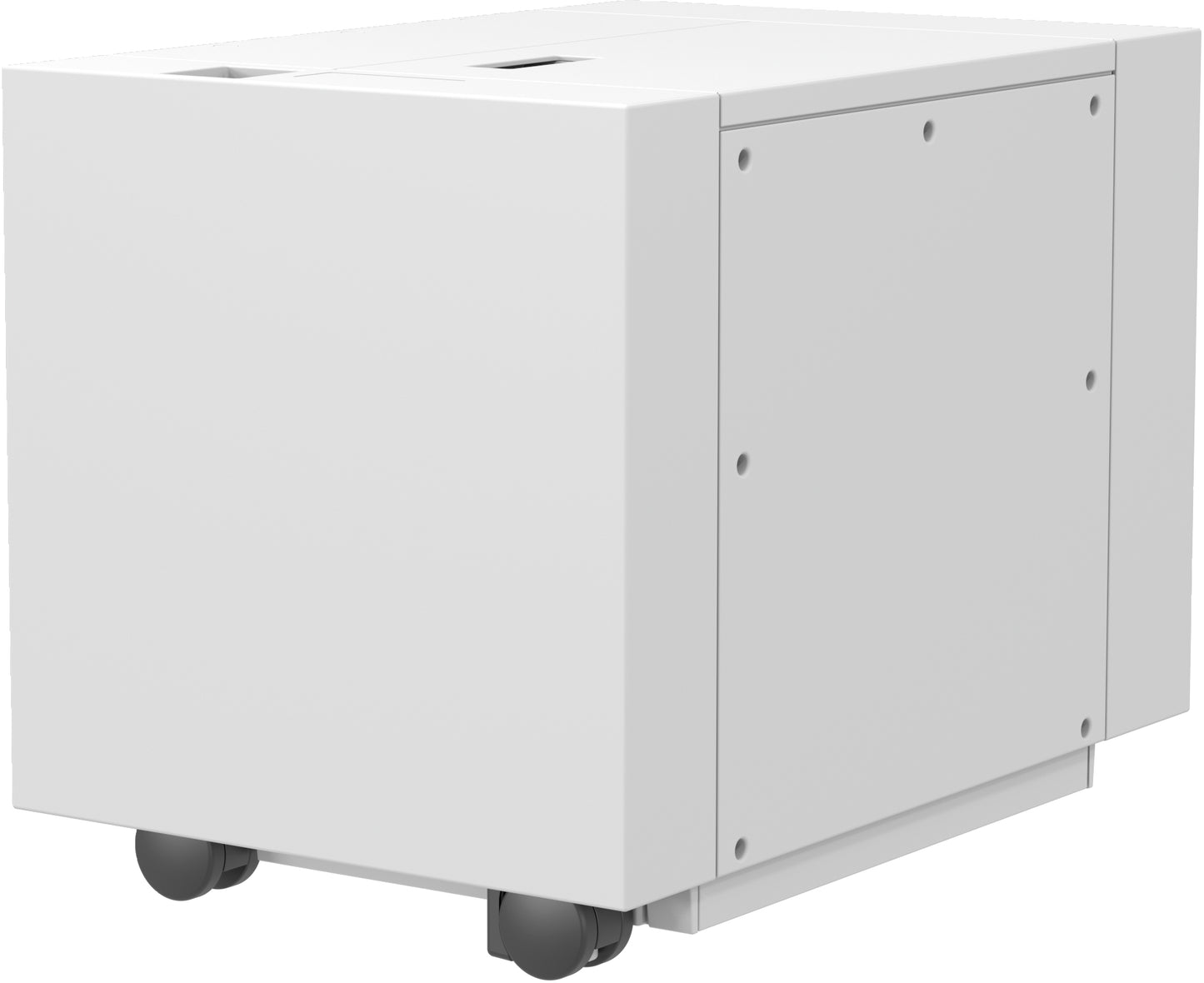
HP 3,000-Sheet High Capacity Input Tray 6GW56A — for Managed MFP E877 & E826
Add 3,000 sheets of input — run whole reams without reloadingGenuine HP high capacity input tray for the HP LaserJet Managed MFP E877 and E826 series — ideal for busy departments and long print runs.
|

|
Who Is This Accessory For?
| High-volume departmentsTeams running long jobs on a shared E877 or E826 MFP add 3,000 sheets of input so the printer keeps running without constant reloading. | Print rooms and busy officesWhere reloading paper mid-run is a shared interruption, a high capacity tray lets a full ream and more feed uninterrupted. |
| Maximising a new installSetting up a new E877 or E826 and want its full input capacity from day one — this adds a dedicated high capacity source. | Reducing operator timeFewer reloads means less operator attention per print run — useful on managed fleets where uptime matters. |
Specifications
| Accessory type | High Capacity Input Tray (HCI feeder) |
| OEM part number | 6GW56A |
| Alternative part numbers | None known |
| Condition | New genuine HP |
| Capacity / key spec | 3,000 sheets input capacity |
| Supported media | Plain paper — supports the printer's standard paper sizes for the high capacity source |
| Compatible printers | HP LaserJet Managed MFP E877 series and HP LaserJet Managed MFP E826 series (see table below) |
| Installation | Floor-standing input module — positions beneath/beside the printer as the high capacity source |
| Weight & delivery | Heavy floor-standing unit — shipped on pallet; allow space alongside the printer |
Compatible Printers
This 3,000-sheet high capacity tray fits the HP LaserJet Managed MFP E877 and E826 series. If your exact model variant is not listed — some managed configurations use different accessory part numbers — contact us before ordering and we will confirm fitment.
| Printer series | Models |
| HP Color LaserJet Managed MFP E877 series | E877dn, E877z Flow, E877 Core, E87740dn, E87750dn, E87760dn, E87770dn, E87740z Flow, E87750z Flow, E87760z Flow, E87770z Flow |
| HP LaserJet Managed MFP E826 series | E826dn, E826z Flow, E826 Core, E82650dn, E82660dn, E82670dn, E82650z Flow, E82660z Flow, E82670z Flow |
What's Included
- 1 × HP 3,000-Sheet High Capacity Input Tray (6GW56A)
- Fitting hardware as supplied by HP
- 90-day Printer Genie warranty
- 30 days GenieCare™ Expert Support — included free from date of purchase
- GenieCare™ Expert Support continues when you order toner from us
Installation Notes
This is a heavy floor-standing input module. We recommend two people for unpacking and positioning, and adequate floor space alongside the printer before delivery.
- Power off the printer and disconnect from the mains.
- Position the high capacity tray in place as the printer's high capacity input source, per the HP fitting instructions.
- Secure and connect the tray to the printer.
- Reconnect the printer to the mains.
- Power on — the printer should automatically detect the new input source and configure it.
- If the tray is not recognised, check the printer driver is updated and confirm the tray is assigned in the printer's paper/tray settings.
If the printer does not recognise the tray after fitting, message our GenieCare™ Expert Support team — we can help with driver configuration, firmware checks and tray assignment. GenieCare™ Expert Support is remote written guidance and does not include on-site physical installation.
Warranty
90-day Printer Genie warranty included. This accessory is covered for defects under normal use for 90 days from date of purchase.
The warranty does not cover accidental damage, incorrect installation, misuse, electrical damage, physical damage, contamination, use in an unsuitable printer, or abnormal wear caused by excessive usage beyond the expected service life.
Full warranty terms are available in our Terms of Service. GenieCare™ Expert Support is separate from the product warranty and covers remote guidance, diagnosis and advice.
Support
30 days GenieCare™ Expert Support — included free from date of purchase. Message our team for help with driver and firmware configuration, tray assignment in print settings, and diagnosis if the tray is not recognised or feeding correctly.
GenieCare™ Expert Support continues — order your HP toner from Printer Genie and support carries on automatically. No subscription. No sign-up.
GenieCare™ Expert Support covers remote written diagnosis, guidance and advice. It is separate from and in addition to the 90-day Printer Genie warranty. It does not include on-site physical installation.
GenieCare™ Expert Support – Included with This Accessory

Frequently Asked Questions