Printer Genie Ltd
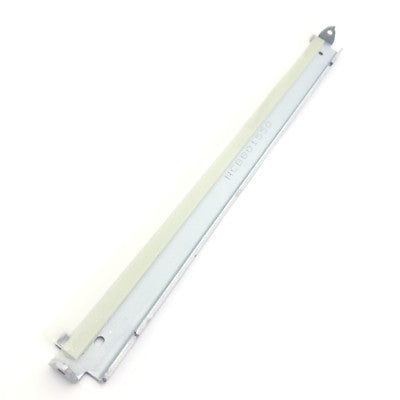
Transfer Belt Cleaning Blade for HP Colour LaserJet CP3525 CP4525 M551 Blade Only
Transfer Belt Cleaning Blade for HP Colour LaserJet CP3525 CP4525 M551 Blade Only
Couldn't load pickup availability
Replacement transfer belt cleaning blade for selected HP Colour LaserJet printers. This blade-only version is designed to restore transfer belt cleaning performance where the waste toner section remains serviceable.
Ideal for resolving print defects caused by worn or contaminated transfer belt cleaning blades without replacing the complete transfer belt assembly.
Common Symptoms This Part Can Fix
- Vertical colour streaks on prints
- Repeating toner marks
- Dirty colour backgrounds
- Toner haze across page
- Ghosting or repeated images
- Toner smearing on colour prints
- Transfer belt contamination marks
- Lines appearing repeatedly down the page
Compatibility
View Compatible Models
- HP Colour LaserJet CP3525
- HP Colour LaserJet CP3525dn
- HP Colour LaserJet CP3525n
- HP Colour LaserJet CP3525x
- HP Colour LaserJet CP4525
- HP Colour LaserJet CP4525dn
- HP Colour LaserJet CP4525n
- HP Colour LaserJet CP4525xh
- HP LaserJet Enterprise 500 Colour M551
- HP LaserJet Enterprise 500 Colour M551dn
- HP LaserJet Enterprise 500 Colour M551n
- HP LaserJet Enterprise 500 Colour M551xh
What This Part Does
The transfer belt cleaning blade removes residual toner from the intermediate transfer belt surface during the printing process. A worn or damaged blade can allow toner to remain on the belt surface, leading to repeated print defects, streaking, ghosting, and background contamination.
This listing is for the cleaning blade only. The waste toner section and complete transfer belt assembly are not included.
Specifications
| Component | Transfer Belt Cleaning Blade (Blade Only) |
|---|---|
| Internal SKU | TBBCP3525 - PG |
| Compatible Transfer Belt Assemblies | CE249A / CC493-67909 / CC493-67910 / RY7-5212 |
| Printer Families | HP CP3525 / CP4525 / M551 Series |
| Condition | New |
Install Notes (Quick)
- Power off and unplug the printer before installation.
- Remove the transfer belt assembly following HP service guidance.
- Carefully remove residual toner before fitting the replacement blade.
- Avoid scratching or contaminating the transfer belt surface.
- Run multiple colour test pages after installation.
Transfer Belt Assembly References
- CE249A transfer belt cleaning blade
- CC493-67909 transfer belt blade
- CC493-67910 transfer belt blade
- RY7-5212 transfer belt blade
- HP CE249A cleaning blade
- HP transfer belt blade replacement
- ITB cleaning blade
- intermediate transfer belt cleaning blade
Transfer Belt Cleaning Faults
- Transfer belt cleaning blade worn
- Dirty colour prints
- Colour streaks on page
- Printer printing vertical lines
- Toner haze across page
- Repeating toner marks
- Ghosting on colour prints
- Printer smearing toner
- Toner all over page
- Transfer belt contamination
Model Search Terms
- HP CP3525 transfer belt cleaning blade
- HP CP3525 streaking issue
- HP CP4525 transfer belt blade
- HP CP4525 dirty prints
- HP M551 transfer belt cleaning blade
- HP M551 toner smearing
- HP M551 ghosting problem
Disclaimer: Diagnosis should confirm transfer belt cleaning blade wear before replacement.
Share