Printer Genie
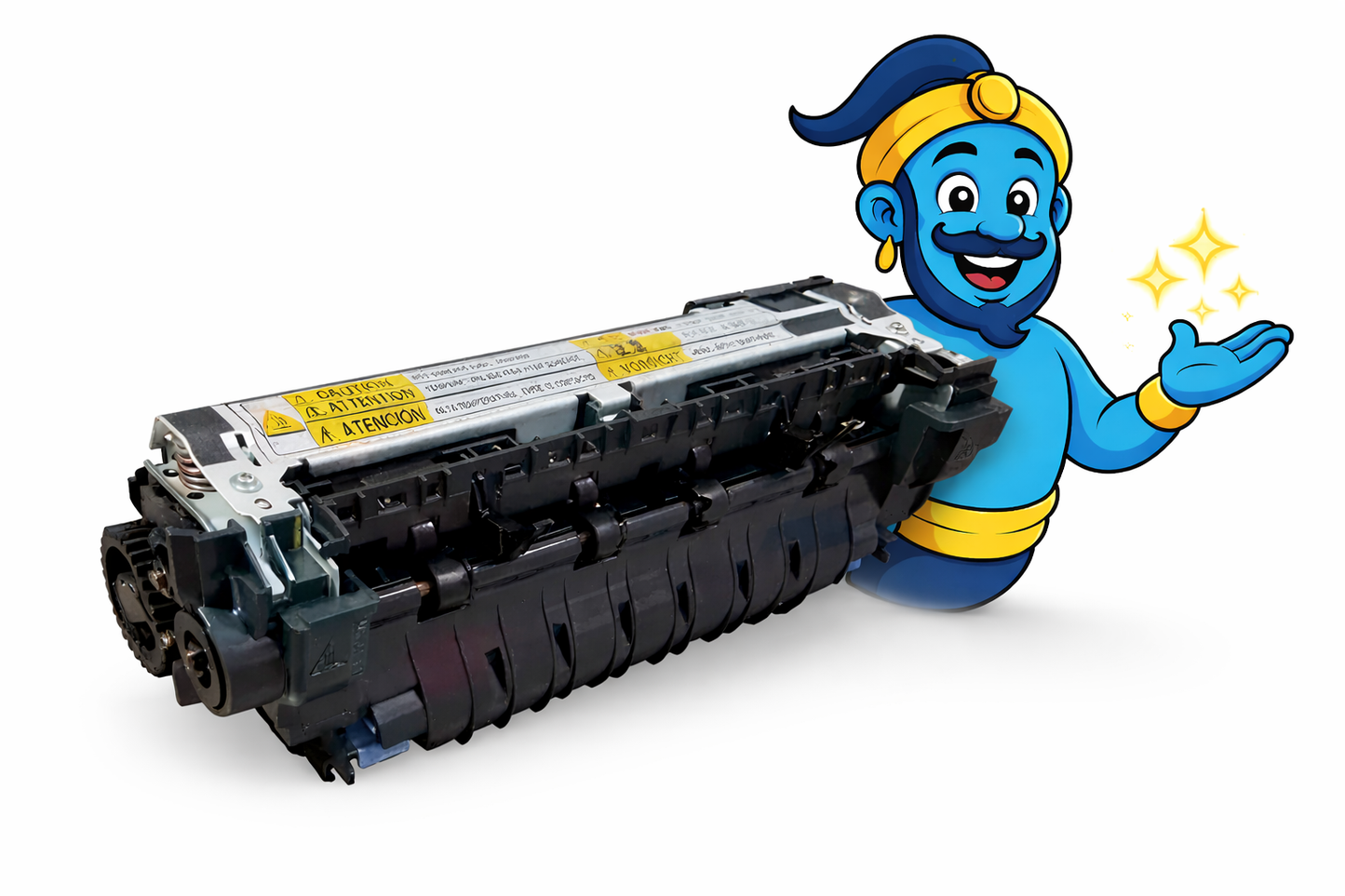
HP LaserJet M600 / M601 / M602 / M603 Series Fuser Unit – RM1-8396 / CE988-67915
HP LaserJet M600 / M601 / M602 / M603 Series Fuser Unit – RM1-8396 / CE988-67915
Couldn't load pickup availability
Refurbished
UK refurbishment specialist Rebuilt and warranted GenieCare™ support — 30 days, then with toner orders
HP LaserJet M600 / M601 / M602 / M603 Series Fuser Unit – RM1-8396 / CE988-67915
Refurbished HP Fuser Unit — Direct Fit, Warranted and Supported
Direct-fit 220V fuser unit, fully stripped down and rebuilt by Printer Genie, backed by a 6-month warranty and GenieCare™ Expert Support.
- Direct-fit 220V UK-spec fuser unit for HP LaserJet M600 / M601 / M602 / M603 Series
- Printer Genie refurbished — fully stripped down and rebuilt with new components as standard before despatch
- 6-month Printer Genie warranty — covers component failure under normal use
- 30 days GenieCare™ Expert Support included — installation guidance and fault diagnosis support
- GenieCare™ Expert Support continues when you order toner from us
- Rated life: 225,000 pages
- Genuine part number RM1-8396 (also sold as CE988-67915)
- UK supplier — despatched from our warehouse
Why Buy This Fuser from Printer Genie?
| 6-month Printer Genie warrantyCovers component failure under normal use. Full terms in our Terms & Conditions. | GenieCare™ support — 30 days, then with toner orders30 days installation guidance, fuser counter reset help, and fault diagnosis support from real printer specialists. |
| Professionally refurbished by Printer GenieEvery unit is fully stripped down and rebuilt with new components as standard before despatch. | Help if the fault is not the fuserIf the supplied fuser does not fully resolve your printer issue, we will help diagnose the remaining fault and recommend the next steps. |
Is This the Right Fuser Unit?
| You're seeing smudging or toner rub-offToner that wipes off the page or smears when touched is the classic sign of a failing fuser. The fuser bonds toner to paper using heat — when it fails, toner never properly fuses. | Your printer is showing a fuser error or warningA fuser error or a “Replace Fuser” message indicates the fuser has reached end of life or has failed. Replacing the fuser unit and resetting the counter will clear these warnings. |
| You're seeing ghosting or repeated imagesA faint repeated shadow of previously printed content appearing lower on the page (ghosting) often points to a worn fuser roller or fuser film. A new fuser unit resolves this in most cases. | Proactive maintenance or high page countIf your machine is well used or your maintenance schedule includes the fuser, replacing it now avoids print quality issues and unplanned downtime. Good practice on heavy-use machines. |
| Paper curling or wrinkling after printingIf pages are coming out curled, wrinkled, or wavy, the fuser is applying uneven heat or pressure. This is a mechanical sign of fuser wear rather than a print quality issue. | Not sure? Ask us firstIf you're unsure whether the fuser is the right part to fix your issue, contact us before ordering. Our team can help diagnose the fault — we'd rather help you buy the right part than the wrong one. |
Specifications
| Component | Fuser unit (complete assembly) |
| Primary OEM part number | RM1-8396 |
| Alternative part numbers | CE988-67915 |
| Condition | Refurbished — fully stripped down and rebuilt with new components as standard by Printer Genie |
| Rated life | 225,000 pages |
| Compatible printers | See the Compatible Printers section below |
| Fuser counter reset required | May be required depending on model — our GenieCare™ team can guide you through it |
| Weight & delivery | Despatched from our UK warehouse — courier delivery, tracked |
Compatible Printers
This fuser unit fits the following HP models. If your model is not listed, contact us before ordering — we may be able to confirm compatibility.
| Model | Model | Model |
| HP LaserJet M600 Series | HP LaserJet M601 Series | HP LaserJet M602 Series |
| HP LaserJet M603 Series |
What's Included
- 1 × HP fuser unit (RM1-8396)
- 6-month Printer Genie warranty — covers component failure under normal use
- 30 days GenieCare™ Expert Support — installation guidance included from date of purchase
- GenieCare™ Expert Support continues when you order toner from us
Installation Notes
Important — fuser units get very hot during normal operation. Always power off the printer and allow the fuser to cool fully before handling. Do not touch the fuser roller surface.
- Power off the printer and disconnect from the mains. Allow at least 30 minutes to cool.
- Open the rear access panel or fuser access door.
- Release the fuser locking levers (usually blue or green tabs).
- Slide the old fuser unit out carefully — dispose of responsibly.
- Insert the new fuser unit and engage the locking levers until they click.
- Close the rear panel, reconnect power, and power on.
- Reset the fuser counter via the service menu if your model requires it.
If you need help at any step, contact us via GenieCare™ Expert Support — installation guidance is included for 30 days from purchase, and continues when you order toner from us.
Warranty & Support
6-month Printer Genie warranty — covers component failure under normal use. Does not cover incorrect installation, physical damage, electrical damage, misuse, abnormal wear, or faults elsewhere in the printer. Full terms in our Terms & Conditions.
30 days GenieCare™ Expert Support included free — installation guidance, counter reset help, and diagnosis if the fault isn't fully resolved. Order your toner from Printer Genie after fitting and support continues automatically — no subscription, no sign-up.
GenieCare™ Expert Support is separate from and in addition to the warranty — it covers remote diagnosis and advice, not on-site repair.
GenieCare™ Expert Support — Included for 30 Days, Then With Every Toner Order

Frequently Asked Questions