HP
HP P1B10A 550-Sheet Tray Stand — 90-Day Warranty & GenieCare™
HP P1B10A 550-Sheet Tray Stand — 90-Day Warranty & GenieCare™
Couldn't load pickup availability
Refurbished
HP P1B10A 550-Sheet Tray Stand — 90-Day Warranty & GenieCare™
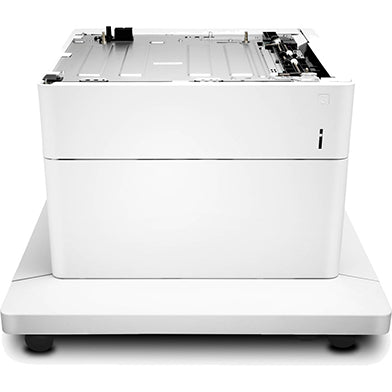
Add Paper Capacity and a Proper Floor-Standing SetupRefurbished HP P1B10A 550-sheet paper tray with stand for compatible HP Enterprise and Managed colour laser printers.
|
Who Is This Accessory For?
| Busy OfficesIdeal where shared printers are constantly running out of paper and slowing everyone down, because apparently paper trays are still a bottleneck in 2026. | High-Volume Colour PrintingUseful for teams printing reports, presentations, forms, labels or daily office paperwork. |
| Better Printer PositioningThe stand raises the printer to a more practical working height and includes wheels for easier movement. | Multiple Paper TypesHelps keep an extra paper size or media type loaded without constantly swapping paper in the main tray. |
Specifications
| Accessory type | 550-sheet paper tray with stand |
| OEM part number | P1B10A |
| Alternative part numbers | None supplied |
| Condition | Refurbished |
| Capacity / key spec | 550-sheet additional paper capacity with wheeled stand |
| Supported media | A4 and supported media sizes for compatible HP printer models |
| Compatible printers | HP M652, M653, M681, M682, E65150, E65160, E67660 series |
| Installation | Fit below printer — no tools required |
| Dimensions | 657mm(W) x 657mm(D) x 450mm(H) |
| Weight & delivery | 25.2kg Pallet Delivery |
Compatible Printers
This HP P1B10A 550-sheet paper tray with stand fits the following HP models:
| Model / Series | Part Number Confirmed | Notes |
| HP Colour LaserJet Enterprise M652 | P1B10A | Compatible series |
| HP Colour LaserJet Enterprise M653 | P1B10A | Compatible series |
| HP Colour LaserJet Enterprise MFP M681 | P1B10A | Compatible series |
| HP Colour LaserJet Enterprise MFP M682 | P1B10A | Compatible series |
| HP Colour LaserJet Managed E65150 | P1B10A | Compatible series |
| HP Colour LaserJet Managed E65160 | P1B10A | Compatible series |
| HP Colour LaserJet Managed Flow MFP E67660 | P1B10A | Compatible series |
What's Included
- 1 × HP P1B10A 550-sheet paper tray with stand
- Integrated wheeled stand
- 30 days GenieCare™ Expert Support — included free from date of purchase
- GenieCare™ Expert Support continues when you order toner from us
Installation Notes
This tray and stand assembly fits below the compatible printer. Power off the printer before fitting and make sure the printer is seated squarely on the stand.
- Power off the printer and disconnect from the mains.
- Position the HP P1B10A stand on a level surface and lock the wheels where possible.
- Lift the printer carefully and align it with the tray/stand assembly.
- Lower the printer onto the accessory so the locating points align correctly.
- Power on — the printer should automatically detect the accessory.
- If the accessory is not recognised, update the printer driver and check tray assignment in print settings.
GenieCare™ Expert Support can help with driver configuration, firmware checks and tray assignment setup.
Warranty
90-day Printer Genie warranty included. This refurbished accessory is covered for manufacturing or refurbishment defects under normal use for 90 days from date of purchase.
The warranty does not cover incorrect installation, physical damage, electrical damage, misuse, abnormal wear, or faults elsewhere in the printer.
Full warranty terms are available in our Terms of Service. GenieCare™ Expert Support is separate from the product warranty and covers remote guidance, diagnosis and advice.
Support
30 days GenieCare™ Expert Support — included free from date of purchase. Our team can help with accessory installation, driver and firmware configuration, tray assignment in print settings, and diagnosis if the tray is not recognised or feeding correctly.
GenieCare™ Expert Support continues — order your HP 655A or HP 656X toner from Printer Genie and support carries on automatically. No subscription. No sign-up.
GenieCare™ Expert Support covers remote diagnosis, guidance and advice. It is separate from and in addition to the product warranty.
GenieCare™ Expert Support – Included with This Accessory

Frequently Asked Questions