Printer Genie
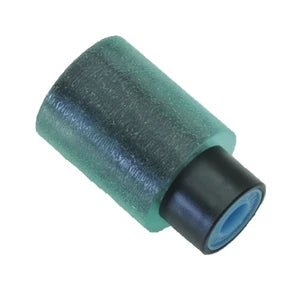
Ricoh AF03-1185 Paper Feed Roller — 90-Day Warranty
Ricoh AF03-1185 Paper Feed Roller — 90-Day Warranty
Couldn't load pickup availability
New
Ricoh AF03-1185 Paper Feed Roller
Paper not feeding, or jamming on the way in?
A compatible paper feed roller for Ricoh machines that use part AF03-1185 — the wear part behind most tray pick-up and feed faults.
- Compatible replacement for Ricoh part AF03-1185
- Restores grip when a worn roller stops lifting paper from the tray
- Fixes recurring pick-up failures, misfeeds and tray jams caused by a glazed or worn roller
- New — compatible replacement part
- 90-day warranty against manufacturing defects
- UK supplier — despatched from our warehouse
- Not sure this is the right part for your model? Contact us and we will confirm before you order
Is This the Right Part?
| Paper not picking up from the trayThe printer sounds like it is trying to pull paper but the sheet stays put. A glazed or worn feed roller has lost the grip needed to lift it from the stack. | Recurring jams as paper entersJams that happen repeatedly at the point paper enters the feed path are commonly a worn feed roller pulling the sheet through unevenly. |
| Paper slipping or feeding skewedIf paper slips before it reaches the registration rollers, or enters at an angle, a worn roller surface is usually the cause. A new roller restores correct feed. | Not sure which part your model needs?Feed faults can also come from a separation roller or pad. If you are not certain AF03-1185 is the part for your machine, contact us with your model number and we will confirm before you order. |
Specifications
| Component | Paper feed roller |
| Part reference | AF03-1185 |
| Brand | Ricoh (compatible replacement) |
| Condition | New — compatible replacement part |
| Quantity supplied | 1 × paper feed roller |
| Warranty | 90 days against manufacturing defects — normal wear not covered |
Which Printers Does It Fit?
This is the paper feed roller supplied against Ricoh part number AF03-1185. If you have searched for that part number you will already know it is the roller for your machine. If you are working from a symptom or a model number instead and want to be sure, contact us with your Ricoh model and we will confirm fitment before you order.
What's Included
- 1 × paper feed roller (compatible replacement for Ricoh AF03-1185)
Install Notes
- Power off and unplug the printer.
- Locate the feed roller in the paper path or tray pick-up assembly for your model.
- Release the old roller from its shaft, noting its orientation before removing it.
- Fit the new roller in the same orientation and clip it back into place.
- Clean adjacent feed surfaces with a lint-free cloth if they are contaminated, then reassemble and run several test prints to confirm stable feeding.
Warranty
90-day Printer Genie warranty — covers manufacturing defects. Normal wear from use is not covered. Excludes incorrect installation, physical damage, electrical damage, misuse and faults elsewhere in the printer. Full terms in our Terms & Conditions.
Share