Printer Genie
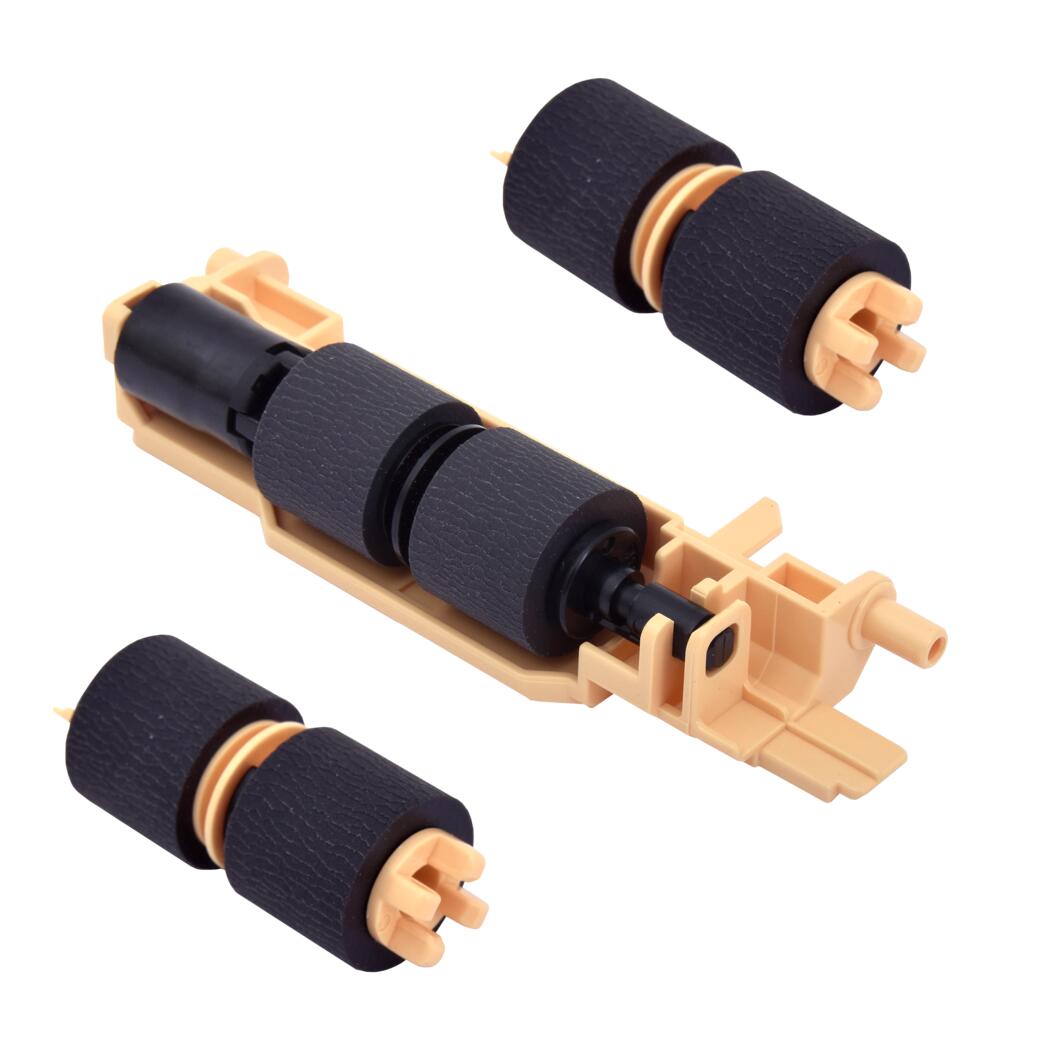
Xerox VersaLink C600 & C605 Paper Tray Feed Roller Kit
Xerox VersaLink C600 & C605 Paper Tray Feed Roller Kit
Couldn't load pickup availability
New Parts — Parts Only, No Support
Xerox VersaLink C600 & C605 Paper Tray Feed Roller Kit — Parts Only
Printer not taking paper? Tray not feeding?Parts-only feed roller kit for the main paper tray on the Xerox VersaLink C600 and C605 colour range.
|

|
Faults This Kit Helps Resolve
| Paper not picking up from the trayThe printer sounds like it is trying to pick up paper but nothing enters the feed path. Worn pickup rollers that have lost their grip on the stack are the usual cause. | Multiple sheets feeding at onceTwo or more pages feed together, causing a jam or double-printed pages. The separation roller is what holds the second sheet back — once it glazes over, it stops doing that. |
| Misfeed errors at the pickup pointRepeated feed errors reported against the main tray, with paper stopping at or just after pickup, point to worn rollers rather than an obstruction further down the paper path. | Paper slipping, skewing, or stopping earlyPaper enters at an angle, stops midway, or slips before reaching the registration rollers. New rollers restore the feed torque and alignment needed for consistent pickup. |
Paper jams can also be caused by sensors, paper path assemblies, duplex units and fuser assemblies. This kit addresses worn tray feed rollers only.
What's in This Kit
All components listed below are included as new parts, supplied as a complete feed roller kit.
| Qty | Component | Tray / Location |
| 2 | Pickup roller | Paper tray feed assembly |
| 1 | Separation roller | Paper tray feed assembly |
Compatible Printers
These models share the same tray feed assembly. If your model isn't listed or has a managed or regional variant code, contact us before ordering and we will confirm compatibility.
| Range | Models | Notes |
| VersaLink C600 | C600DN, C600DT, C600DX, C600DXF, C600DXP, C600N | Full kit fits |
| VersaLink C605 | C605X, C605XF, C605XP, C605XTF, C605XTP | Full kit fits |
What's Included
- Complete feed roller kit — all components listed in the kit table above
- All parts are new — no refurbished components supplied
- Parts only — this kit does not include fitting support or a refund guarantee
- Fitting instructions included
Install Notes
- Power off and unplug the printer.
- Pull the paper tray right out and locate the feed roller area above the opening.
- Release the old pickup rollers from the shaft and slide them off.
- Fit the new pickup rollers, then replace the separation roller in the tray.
- Check every roller is fully seated and the correct way round.
- Refit the tray and run 10–20 test prints to confirm smooth, consistent pickup.
Warranty
90-day Printer Genie warranty — covers manufacturing defects under normal use. Excludes incorrect installation, physical damage, electrical damage, misuse, abnormal wear, and faults elsewhere in the printer. Full terms in our Terms & Conditions.
Frequently Asked Questions