1
/
of
1
Zebra
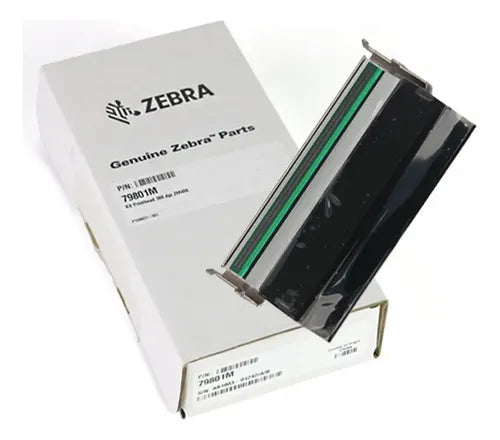
Zebra 79800M ZM400 203dpi Printhead New Genuine
Zebra 79800M ZM400 203dpi Printhead New Genuine
Regular price
£195.00 GBP
Regular price
Sale price
£195.00 GBP
Unit price
/
per
Shipping calculated at checkout.
Condition: New
Couldn't load pickup availability
New Genuine
Zebra 79800M ZM400 203dpi Printhead New Genuine
Genuine Zebra 203dpi Printhead for ZM400
New genuine Zebra 79800M thermal printhead for Zebra ZM400 203dpi label printers.
- Genuine Zebra replacement printhead
- Part number: 79800M
- Resolution: 203dpi
- Compatible with Zebra ZM400 203dpi printers
- Helps resolve faded print, missing lines, white gaps and poor barcode output
- Printhead only supplied
- UK supplier - despatched from our warehouse
Specifications
| Component | Thermal printhead |
| Part number | 79800M |
| Resolution | 203dpi |
| Condition | New Genuine |
| Quantity supplied | 1 x printhead only |
| Compatible printer | Zebra ZM400 203dpi |
| Warranty | 90-day Printer Genie warranty against manufacturing defects |
| Weight & delivery | [ADD MANUALLY] |
Compatible Printer
| Model | Resolution | Part Number |
| Zebra ZM400 | 203dpi | 79800M |
Check your printer resolution before ordering. This printhead is for 203dpi ZM400 printers only, because apparently one DPI mismatch is enough to ruin a label printer and everyone’s mood.
Common Fault Symptoms
| Faded or weak print output |
| White lines through labels or barcodes |
| Missing sections of print |
| Poor barcode readability |
| Print defects that remain after cleaning the printhead |
What's Included
- 1 x Zebra 79800M 203dpi printhead
- Printhead only
- 90-day Printer Genie warranty
Install Notes
- Power off and unplug the printer before installation.
- Allow the printer to cool before working near the print mechanism.
- Open the printhead assembly and remove the old printhead following the Zebra service procedure.
- Fit the replacement printhead carefully, avoiding contact with the print surface.
- Reconnect any printhead cable fully and securely.
- Clean the platen roller and media path if contaminated.
- Run test labels and check barcode clarity after fitting.
Share