Printer Genie
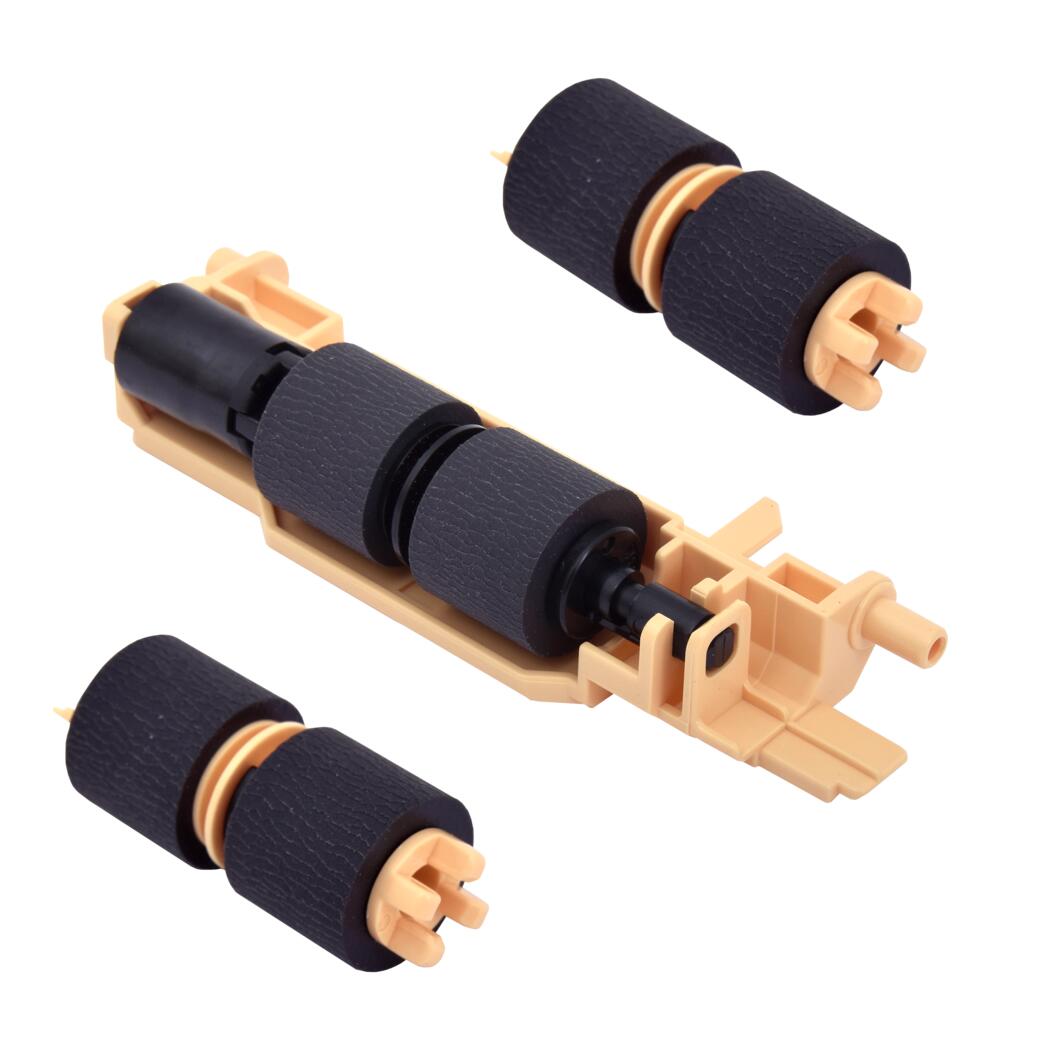
Xerox 116R00010 Paper Tray Feed Roller Kit — Pickup & Separation Rollers
Xerox 116R00010 Paper Tray Feed Roller Kit — Pickup & Separation Rollers
Couldn't load pickup availability
New — Compatible
Xerox 116R00010 Paper Tray Feed Roller Kit — Pickup & Separation Rollers
Searching by part number? This is the one.Compatible replacement for Xerox paper tray feed roller kit 116R00010, covering the Phaser, VersaLink and WorkCentre ranges that share this feed assembly.
|

|
Specifications
| Component | Pickup roller and separation roller set (feed roller kit) |
| Primary part number | 116R00010 |
| Alternative part numbers | 607K00050, 607K00051, 604K98470 |
| Fitting location | Main paper tray feed assembly |
| Condition | New — compatible, produced to match original fit and material spec |
What's in This Kit
| Qty | Component |
| 2 | Pickup roller for the paper tray feed assembly |
| 1 | Separation roller for the paper tray feed assembly |
Which Printers Does This Fit?
This kit fits the following Xerox ranges, which share the same paper tray feed assembly:
- Xerox Phaser 6510 and WorkCentre 6515
- Xerox VersaLink B600, B605, B610 and B615
- Xerox VersaLink C500, C505, C600 and C605
Each range has several model variants. To check your exact model code, use the model-specific listings below — they name every variant covered. If your printer is a managed or regional variant, contact us before ordering and we will confirm.
Find Your Model
Install Notes
- Power off and unplug the printer.
- Pull the paper tray right out and locate the feed roller area above the opening.
- Release the old pickup rollers from the shaft and slide them off.
- Fit the new pickup rollers, then replace the separation roller in the tray.
- Check every roller is fully seated and the correct way round.
- Refit the tray and run 10–20 test prints to confirm smooth, consistent pickup.
Warranty
90-day Printer Genie warranty — covers manufacturing defects. Normal wear from use is not covered. Excludes incorrect installation, physical damage, electrical damage, misuse, abnormal wear, and faults elsewhere in the printer. Full terms in our Terms & Conditions.
Frequently Asked Questions