Full tray but “No Paper”? Or jamming? Get your Brother back to printing.
Every paper-feed wear part for the Brother 2200 / 7000 series in one kit — cam lever, rollers & separation pad. Fixes the No-Paper error and paper jams.
| ✓ All feed parts included |
✓ Fixes No Paper & jams |
✓ 90-day guarantee |
|

|
30+ years experience
Printer industry since 1992
|
90-day guarantee
On all parts in the kit
|
Tracked UK delivery
Sent tracked
|
Fixes the “No Paper” error and paper jams
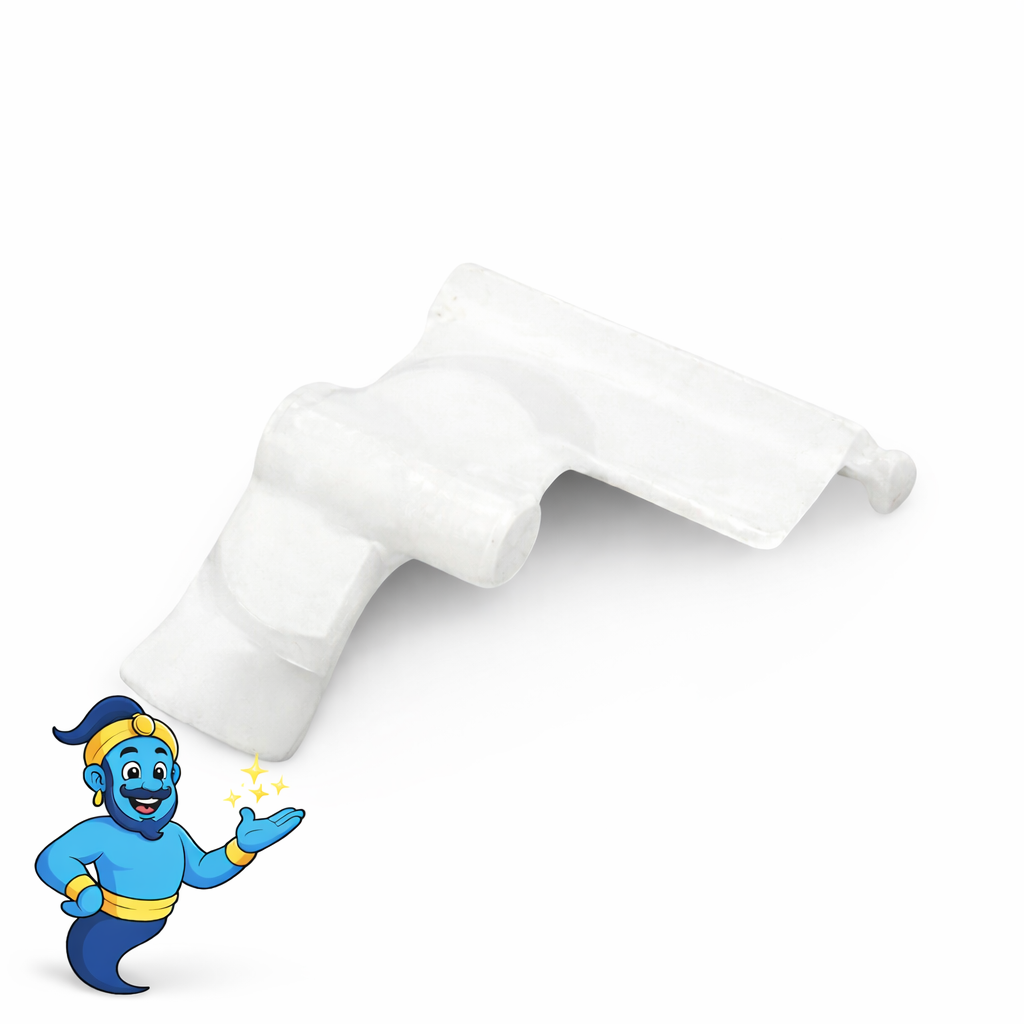
If your Brother shows “No Paper” with a full tray, or feeds two sheets, jams or won’t pick up at all, the cause is almost always in the paper-feed parts — and one part in particular. A small feeder cam lever engages the pickup roller on every page; push the tray home too hard and it snaps, so the roller never turns and the printer reports “No Paper” even though the tray is full. The pickup rollers and separation pad also harden with age and cause slipping, double-feeds and jams. This kit replaces all of them together, so the printer feeds cleanly again.
What’s included
-
✓Feeder cam lever — the part that fixes the “No Paper” error when it breaks
-
✓Pickup roller assembly — grabs and feeds the top sheet
-
✓Paper feed roller — drives the sheet on through the feed path
-
✓Separation pad & spring — holds back the sheets underneath to stop double-feeds and jams
-
✓Step-by-step fitting guide
Compatible replacement parts, made to the original specification. Supplied as parts with a fitting guide — no ongoing support included.
Fits these Brother printers
DCP: 7055, 7057, 7057E, 7060D, 7065DN, 7070DW
HL: 2130, 2132, 2135W, 2220, 2230, 2240, 2240D, 2250DN, 2270DW, 2280DW
MFC: 7240, 7360, 7360N, 7362, 7362N, 7365DN, 7460DN, 7470, 7470D, 7860DN, 7860DW
FAX / intelliFAX: 2840, 2940
Not sure your exact model is covered? Message us the model number and we’ll confirm before you buy.
Fitting difficulty: Moderate. The pickup roller and separation pad clip in from the paper-tray opening in a couple of minutes. The cam lever takes a little more care — the easiest way is to take off the side panel (one rear screw) so you can seat it without snapping its clip. A clear step-by-step fitting guide is included, and all you need is needle-nose pliers and a small screwdriver. Around 20–30 minutes.
90-day guarantee. Every part in the kit is covered for 90 days. If anything is faulty, we’ll put it right.
Common faults this kit helps fix
- Brother says “No Paper” but the tray is full
- Printer won’t pick up paper / nothing feeds
- Motor whirrs or spins but no sheet is drawn in
- Pulling multiple sheets, misfeeds and repeated jams
- Paper feeds slightly then stops or jams
- Still won’t feed after cleaning or changing the rollers
- Worn pickup rollers or separation components
What happens after you purchase?
- Receive your paper feed repair kit for the Brother.
- Follow the included step-by-step fitting guide to fit the replacement parts.
- Test your printer and check whether the fault has cleared.
This kit is supplied as parts with a fitting guide — it doesn’t include ongoing support. If the fault persists after fitting, or you’d like a fault diagnosed, Printer Genie offers paid remote support, and mail-in repair if you’d prefer us to do the work.
Frequently asked questions
Why does my Brother say “No Paper” when the tray is full?
The usual cause is the feeder cam lever, which engages the pickup roller on each page. When it breaks or slips off, the roller never turns, so no sheet is picked and the printer reports “No Paper”. Cleaning or changing the rollers alone won’t fix it if the cam has gone — this kit includes the cam lever as well as the rollers and pad.
Why is my printer not picking up paper, or jamming?
Worn pickup rollers lose grip and slip; a worn separation pad lets two sheets through at once. Replacing both restores clean single-sheet feeding.
Is any support included?
This kit is supplied as parts with a step-by-step fitting guide; it doesn’t include ongoing support. If you’d like help diagnosing a fault we offer paid remote support, and mail-in repair if you’d prefer us to fit it for you.
Will it fit my model?
It fits the Brother DCP-7000, HL-2200 and MFC-7000 series listed under “Fits these Brother printers” above. If your model isn’t listed, message us and we’ll confirm before you buy.
Compatible replacement part — not manufactured by, affiliated with or endorsed by Brother. “Brother” and the model names are shown only to indicate compatibility. Warranty covers the parts in this kit; see our Terms & Conditions.