Kyocera
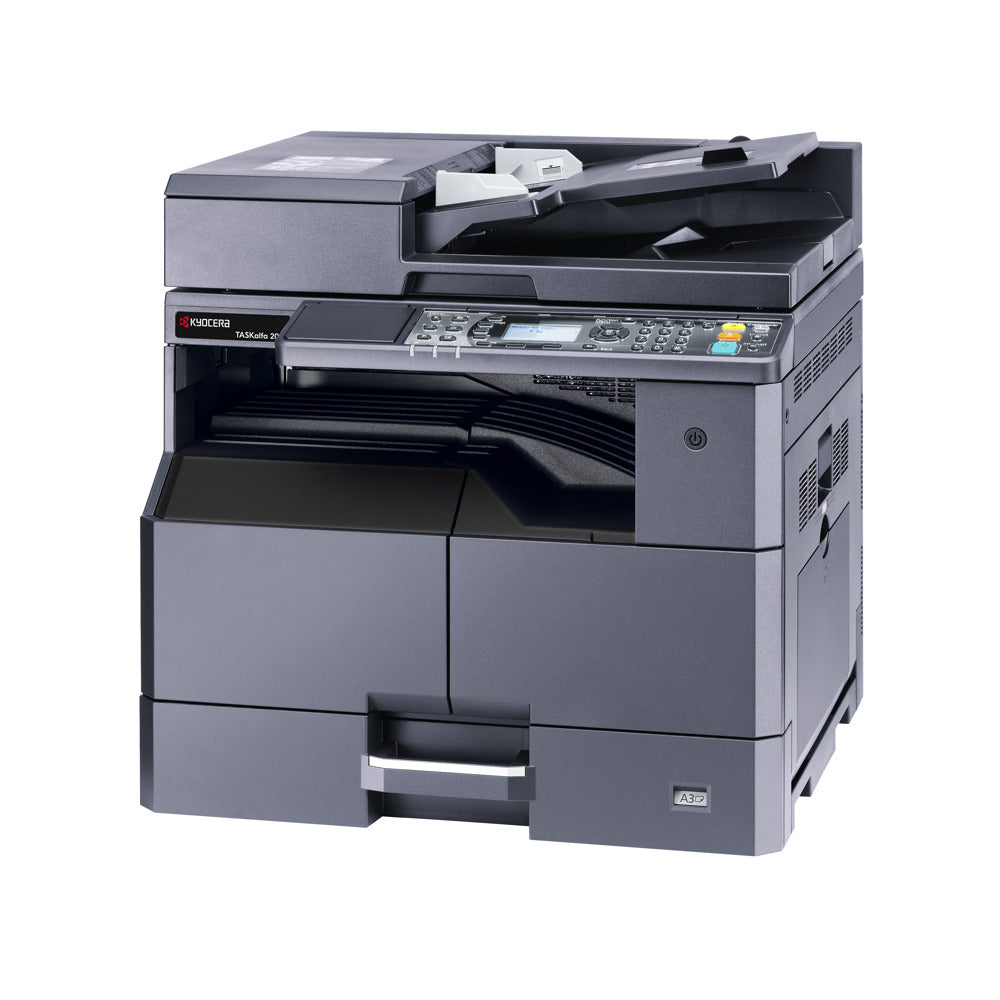
Kyocera TASKalfa 2021 A3 Mono Multifunction Laser Printer New
Kyocera TASKalfa 2021 A3 Mono Multifunction Laser Printer New
Couldn't load pickup availability
New
Kyocera TASKalfa 2021 A3 MFP — 1-Year Warranty & GenieCare™ Expert Support
A Simple, Reliable A3 Office Copier — Print, Copy and Scan From Day OneStraightforward USB print, copy and scan for A3 documents, with network printing, duplex and automatic document feeding available as optional upgrades.
|
 |
 |
 |
Who Is This Printer For?
| Small Offices & Reception DesksA straightforward standalone copier for everyday admin — no network setup needed, just plug into a single PC via USB and go. | Architects, Designers & EngineersA3 print, copy, and scan handles technical drawings and plans that A4-only machines can't, straight from your desktop. |
| Home Offices & Small StudiosA compact, reliable A3 machine for occasional print, copy, and scan jobs without the cost or complexity of a networked MFP. | Schools & Community GroupsSimple button-operated controls make this an easy shared copier for staff rooms, offices, and community spaces. |
| Businesses Planning to ExpandStart with USB print and copy, then add the optional network interface, duplex unit, or document processor as your needs grow. | Anyone Replacing an Ageing A3 CopierA dependable new Kyocera engine with a 1-year warranty and GenieCare™ Expert Support behind it — no gamble on an unknown used machine. |
Key Features & Specifications
| Functions | Print, Copy, Scan (fax available as an optional accessory, not included as standard) |
| Print speed | Up to 20 pages per minute (A4); up to 10 pages per minute (A3) |
| Max paper size | A3 / Ledger |
| Recommended monthly volume | Not published by Kyocera for this model — suited to light-to-moderate print, copy, and scan use |
| Auto duplex printing | Optional — Kyocera DU-480 duplex unit (not included as standard). Prints single-sided out of the box. |
| ADF & duplex scan | Optional — Kyocera DP-480 reversing document processor, 50-sheet capacity (not included as standard). Flatbed scanning as standard. |
| Print resolution | 600 x 600 dpi standard; Fast 1200 mode (1800 x 600 dpi equivalent) |
| Paper capacity | 400 sheets standard (100-sheet multi-purpose tray + 300-sheet cassette), expandable to 1,300 sheets with optional paper feeders |
| Display | 5-line backlit LCD with alphanumeric keypad |
| Connectivity | USB 2.0 (Hi-Speed) as standard. One expansion slot for an optional Ethernet network interface (not included as standard) and optional fax. |
| OS compatibility | Windows 8.1, Windows 10, Windows Server 2012/R2, Windows Server 2016, Windows Server 2019, Mac OS 10.5 or later, Linux |
| Weight & delivery | Approx. 27kg. Courier delivery, tracked. |
What's Included
- New Kyocera TASKalfa 2021 A3 Mono Multifunction Printer (1102ZP3NL0)
- Consumables: Comes with new original toners/inks (Kyocera TK-4145 black toner cartridge, up to 16,000 pages)
- Power cable
- Original Kyocera packaging
- 1-year warranty
- 90 days GenieCare™ Expert Support — included free from date of purchase
- GenieCare™ Expert Support continues when you order toner from us — no subscription needed
This is the standard Kyocera TASKalfa 2021 configuration — USB connection, single-sided printing, and flatbed scanning. The optional network interface, DU-480 duplex unit, and DP-480 document processor are not included but can be added later.
Warranty & Support
1-year Printer Genie warranty — covers faults arising from normal use. If a fault develops we will repair or replace the printer at our discretion. Full terms in our Terms & Conditions.
90 days GenieCare™ Expert Support included — from the moment your printer arrives, our team is available to help with setup, drivers, connectivity, scan to email, error codes, and anything else you need to get settled in.
GenieCare™ Expert Support continues — once your 90-day period ends, order your TK-4145 toner from Printer Genie and support carries on automatically. Paper jams, print quality, error codes, connectivity, and maintenance advice — for as long as you own this printer. Stays active with each toner order. No subscription. No sign-up.
GenieCare™ Expert Support covers remote diagnosis, guidance, and advice — it is separate from and in addition to the warranty. GenieCare™ activates alongside the 90-day period if you order toner during that time.
GenieCare™ Expert Support – Included with This Printer

Frequently Asked Questions